Pick a reference
Start from a real app icon — 447 in the shared catalogue, or upload your own.







v3 Icon sets from one style
yIcon reads a style out of a real app icon, turns it into a recipe you can tune, and stamps it across a whole set — exact SVG in an instant, or AI-refined art when you want more.
A coherent icon set is one recipe — shape, fill, material, light — applied to many glyphs. yIcon makes the recipe the thing you edit.
Start from a real app icon — 447 in the shared catalogue, or upload your own.
Colours and silhouette are read off the pixels on the spot. Ask AI and it fills in material and light too, as numbers you can change.
Add subjects — 1,300+ glyphs or your own SVG — and the set is there before you finish typing. Save it, export it, refine it.
Twenty built-in styles — fourteen originals and six read out of real icons — plus the ones you save. Switching keeps every subject in place.
Subjects and styles on the left, the icon or the whole set in the middle, every parameter of the recipe on the right. The reference can sit as a ghost over the hero until the two agree.
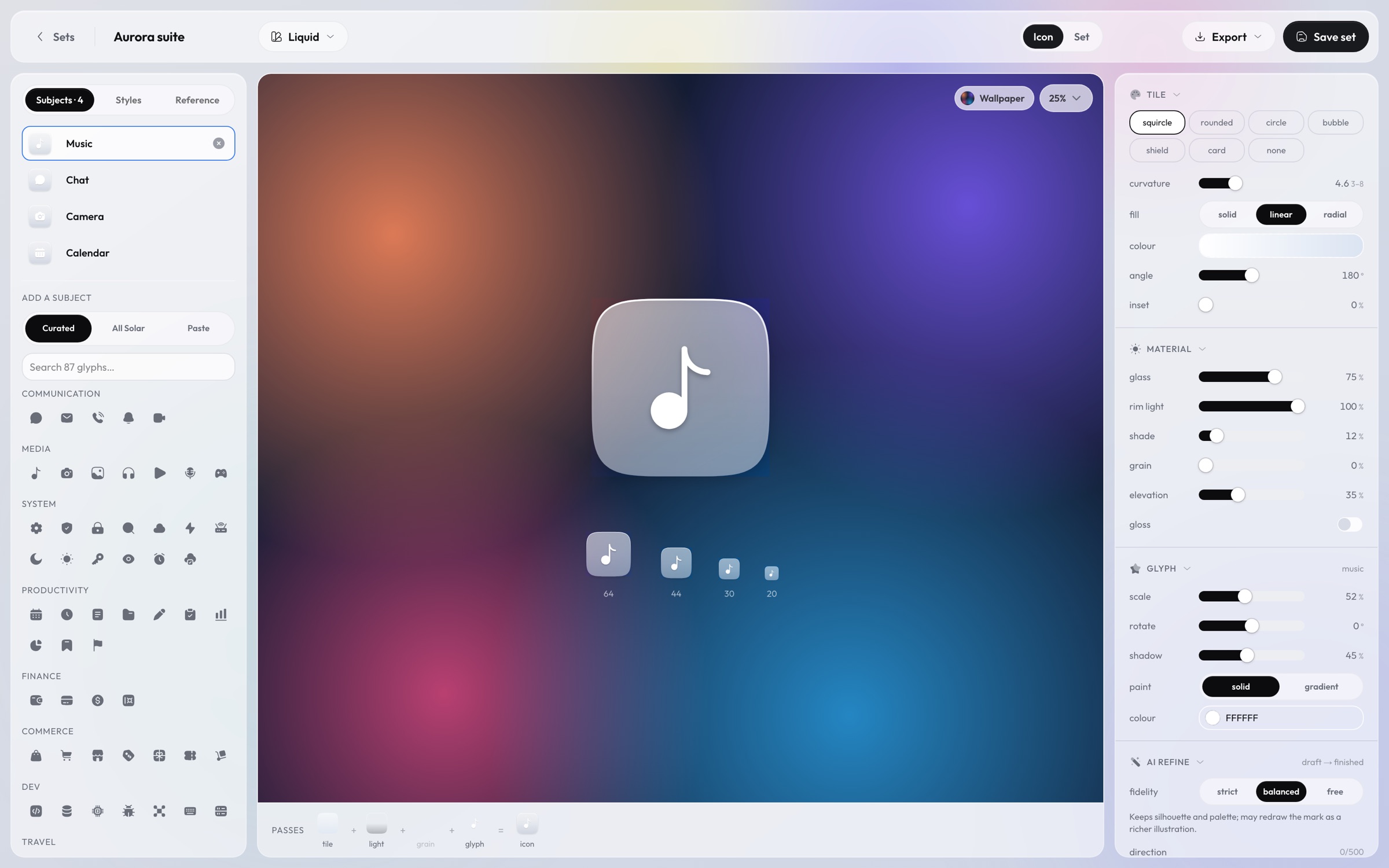
Search the curated glyphs, all of Solar, or paste an SVG. Swap styles without losing a subject.
One icon with its size ramp, the set by glyph, or one glyph across every style. Backdrops for judging glass.
Shape, radius, fill, inset; glass, rim light, shade, grain, elevation; glyph scale and rotation. Every number is the recipe.
The recipe renders to SVG in your browser. Nothing is approximated: the 20px favicon and the 1024px marketing icon are the same drawing.
An image model gets the vector draft and the recipe as precise words — hex stops, gradient direction, corner exponent, material passes — so it adds detail without drifting.
The draft, in exact terms:
- Tile: Rounded rectangle with 24% corner radius, filling the frame edge to edge.
- Background: linear gradient #FF9A3D → #F04E4E, top to bottom.
- Material: opaque, a subtle rim light along the top edge, clearly darker toward the bottom, a glossy top-half sheen (skeuomorphic), a soft, deep drop shadow beneath the tile.
- Mark: "Music" as a single centred mark painted #FFFFFF, about 50% of the tile height, with a faint soft shadow.
Rendered in your browser — vector icons exact at each size, AI results resampled from their 1024px original.
Free to use. Vectors cost nothing; AI refine uses your own OpenAI key on the server.